
Your Cart is Empty
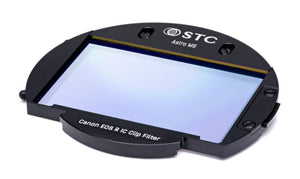
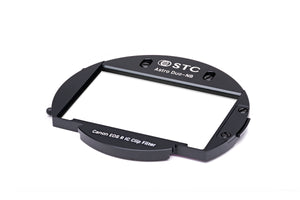
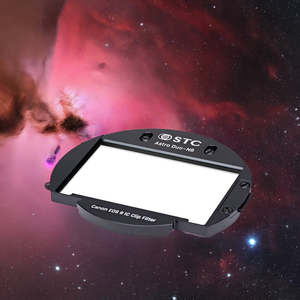
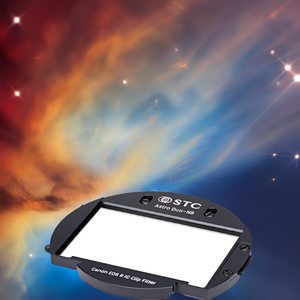
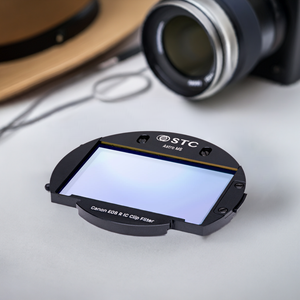
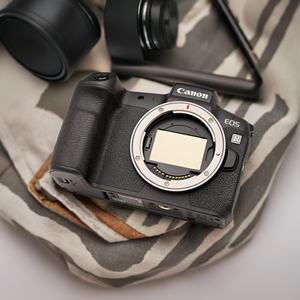
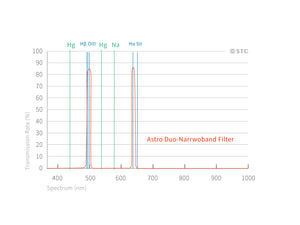
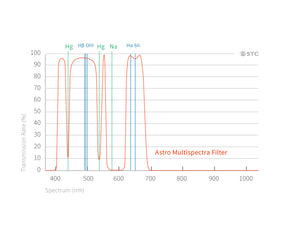
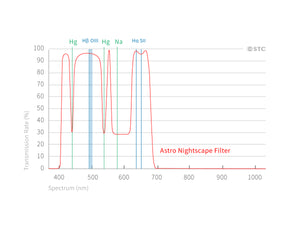
Our second-generation internal Interchangeable Clip (IC) filter series is here! Our "One filter to fit them all" design makes it easy to swap out filters for whatever shooting conditions you are dealing with. No need to carry bulky filters in your kit!
STC's patented clip filters are designed to eliminate common problems found with other clip filter manufacturers, specifically, color shift around the edges of the frame when using wide-angle lenses. See the difference!
The IC Series gives you all the filters you need in a small form factor at a reasonable price.
Compatible with: Supported Camera & Lens List
Features
Installation Instructions
Due to varying QC standards across camera brands, even models of the same brand may have manufacturing tolerances. If the internal filter frame doesn't fit properly, please contact STC support or headquarters. Do not force installation.
Disclaimer
STC's Clip-in filters are innovative and rely on the camera's internal structure for stability. Minor marks from installation may occur but do not affect camera functionality or warranty. STC will not cover these marks or offer compensation. Please consider this before purchasing if reselling your camera is a concern.
Frequently Asked Questions
Which Canon EOS R cameras is this astrophotography clip filter compatible with?
This Astrophotography IC Clip Filter is designed for Canon EOS R Series cameras. Please check the Supported Camera & Lens List for the full compatibility list before purchasing.
What is the minimum lens focal length required?
Astrophotography clip filters are only suitable for lenses 14mm and greater. Using them with shorter focal lengths may result in vignetting or other optical issues.
What is the difference between Astro Multispectra (MS), Duo-Narrowband (Duo-NB), and Nightscape (NS)?
The Astro Multispectra (MS) enhances a broad range of nebula wavelengths for rich color astrophotography. The Duo-Narrowband (Duo-NB) targets H-alpha and OIII wavelengths for high-contrast nebula imaging under light-polluted skies. The Nightscape (NS) reduces artificial light pollution while preserving natural sky colors, ideal for landscape astrophotography.
Why is the glass only 0.5mm thick?
The ultra-thin 0.5mm glass is specifically designed to reduce the halo effect around bright stars and celestial objects — a common issue with thicker clip filters. This makes it especially suitable for astrophotography where star rendering quality is critical.
Is this filter compatible with the Canon Extender RF 2x?
No. This filter is not compatible with the Canon Extender RF 2x. Please do not use them together.
Will mounting this filter affect my camera's autofocus?
After mounting the clip filter, your camera's autofocus will automatically adjust to the change in optical axis. No manual calibration is required for most supported camera models.
Is this filter covered by a warranty?
Yes. STC offers the world's first warranty and repair service for clip-in filters. Please contact STC support for details.

Our frames are custom designed for each model of camera and are all made from an aerospace-grade aluminum alloy that is non-magnetic and shock-absorbent. We use CNC machining to make sure the frame fits snugly. An ingenious spring clip fixes the filter in place and you can unclip it with a light touch of your finger. Each filter set comes with a magnetized screwdriver to help you swap out one filter for another.

All our filters use STC’s exclusive nanocoating technology for the best optical quality. Our Sensor Protector, Cine Mist, Neutral Density (ND), Astro (light pollution) series, IR-Pass (590nm/720nm/850nm), and UV-IR-Cut filters all carry a double-sided hydrophobic, anti-smudge and antistatic nanocoating to enhance or block transmission in all kinds of particular spectrums.
NOTES:
|